
Sharing a table
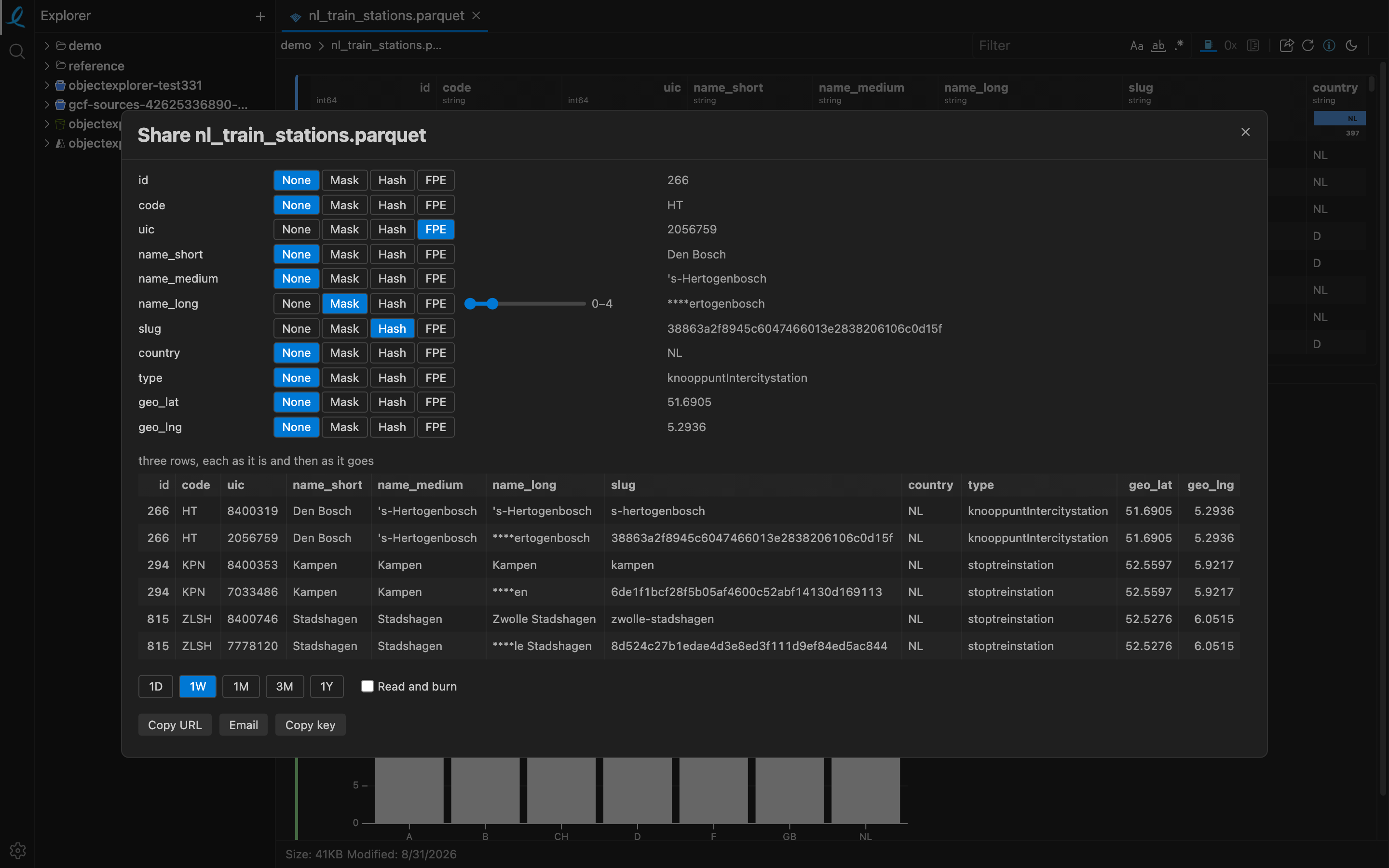
One share icon, one dialog, and a link that opens the rows — or a model you just trained — in the app at objectexplorer.com/app, on a machine with none of your storage, none of your accounts and nothing installed.
The icon is where the thing is: in the side toolbar of anything showing rows, and in a cell's own toolbar. A folder listing has none — a list of names is not something to hand somebody, and the object under it is.
Decide column by column
Every column goes as it is until you say otherwise. Beside each one: Mask, Hash or FPE.
| What it does | |
|---|---|
| Mask | covers a range of characters with * — one slider, a handle at each end, so dragging over a name covers what you drag over |
| Hash | SHA-1, so equal values stay equal and a hashed column still joins and still counts |
| FPE | format-preserving: a digit becomes a digit and a letter a letter of the same case, so a phone number still reads as a phone number and still validates |
The FPE key is made when the dialog opens and never enters the link — Copy key is the only way it leaves your browser.
The preview under the columns is the app's own grid, showing three rows sampled from the start, the middle and the end of the table — each one as it is and then as it goes, so what you are about to send is read rather than imagined.
How long it lives
A link lives for 1D, 1W, 1M, 3M or 1Y, and Read and burn deletes it the moment somebody opens it. Small shares travel whole inside the link's fragment, which no server ever sees; bigger ones — and every burn — are stored under a name made of their expiry and their own digest, and swept when that expiry passes.
Copy URL, or Email, which opens your own mail app with the link in it.
Sharing a model
A trained model shares as a model. The payload carries LightGBM's own text format, so the receiver can predict with it in the app, or load it in Python with lgb.Booster(model_str=…) — without a single training row going with it.
Next: the notebook.