
Connecting storage
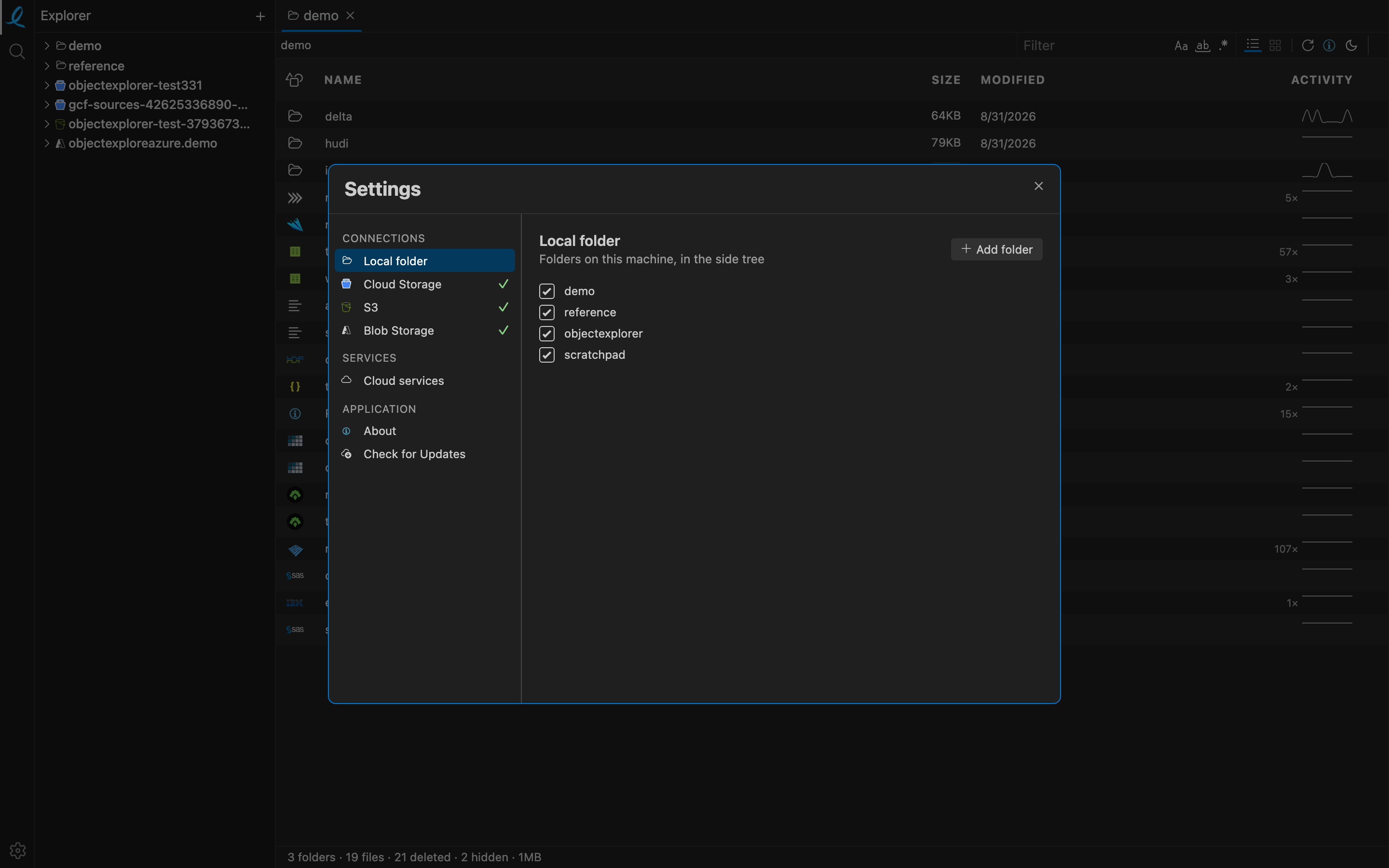
Press + in the sidebar header, or open Settings from the activity bar, and every kind of storage is one row in the same list. A provider you have signed into carries a green check.
| Provider | Connect with | |
|---|---|---|
 | Amazon S3 | an access key and secret, an accessKeys.csv you drop on the dialog, or whatever your AWS CLI already has |
 | Google Cloud Storage | your Google account, through gcloud |
 | Azure Blob Storage | a connection string, a SAS URL, or a Microsoft sign-in |
 | MinIO | your own endpoint, for self-hosted S3-compatible storage |
 | Local folders | the native folder picker — any disk, any mounted volume |
Roots, not accounts
What lands in the tree is a root: one bucket, one container, one folder. You add the ones you work in, so a thousand-bucket account still opens on the five you actually use. A root can be unchecked in Settings to take it out of the tree without forgetting it, and checked again later without another trip through the picker.
Where the credentials go
Nothing is stored in a file of ours that a provider's own tooling does not already hold, and nothing leaves the machine. What the app does save — the list of roots you added, and any key you typed into the dialog rather than into your CLI — lives under your user data folder; see where your data lives.
Next: Amazon S3.